
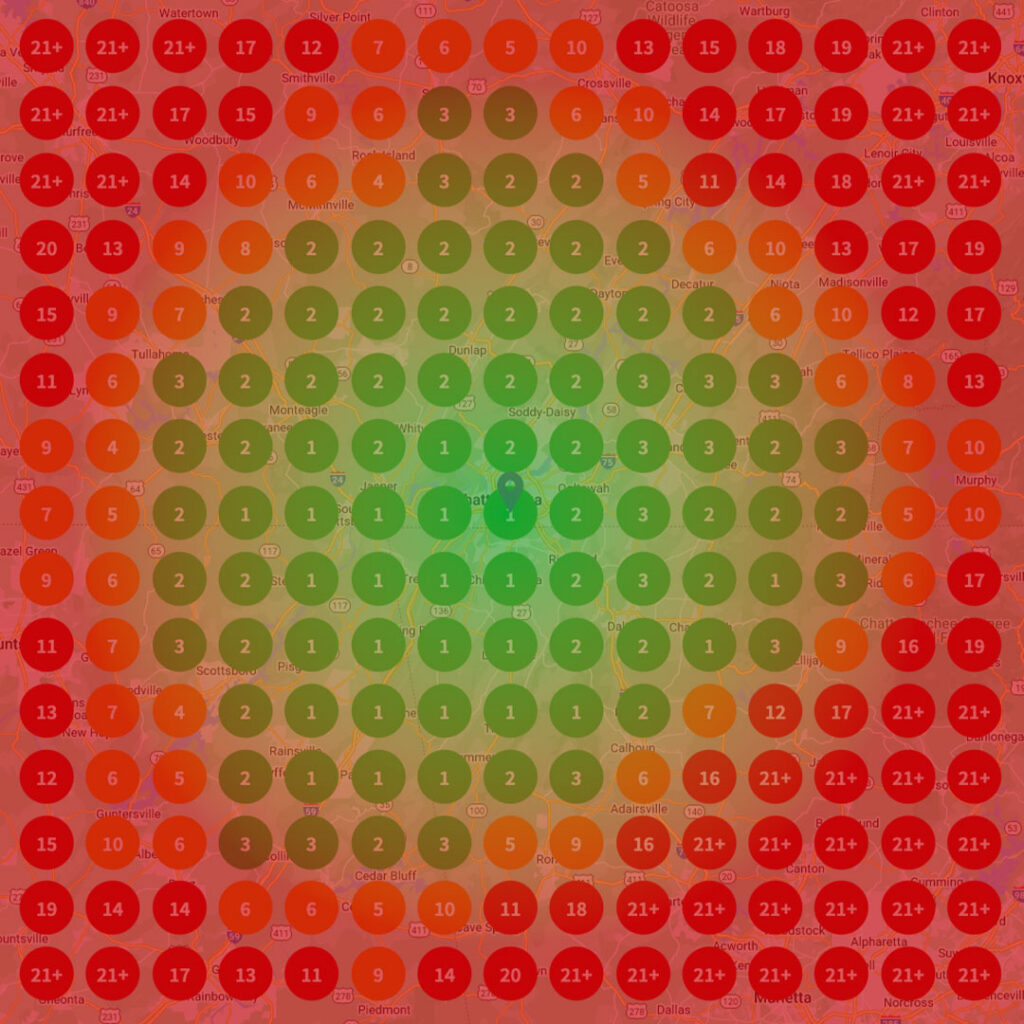
If you sell to people near you, where you show up on the map decides who calls. Local search heat maps show you exactly that: where in your service area you appear at the top of Google’s local results, and where you disappear. For a local business, that picture turns into better decisions about pages, profiles and ad spend, and those turn into more leads and more revenue.
What are Heat Maps?
A heat map is any picture of data that uses color to show intensity. On a website, a heat map shows where visitors click, scroll and stop. That kind of heat map helps you fix pages that are not converting.
In local SEO, the term means something more specific, and more useful for anyone who depends on nearby customers.
What are Local Search Heat Maps?
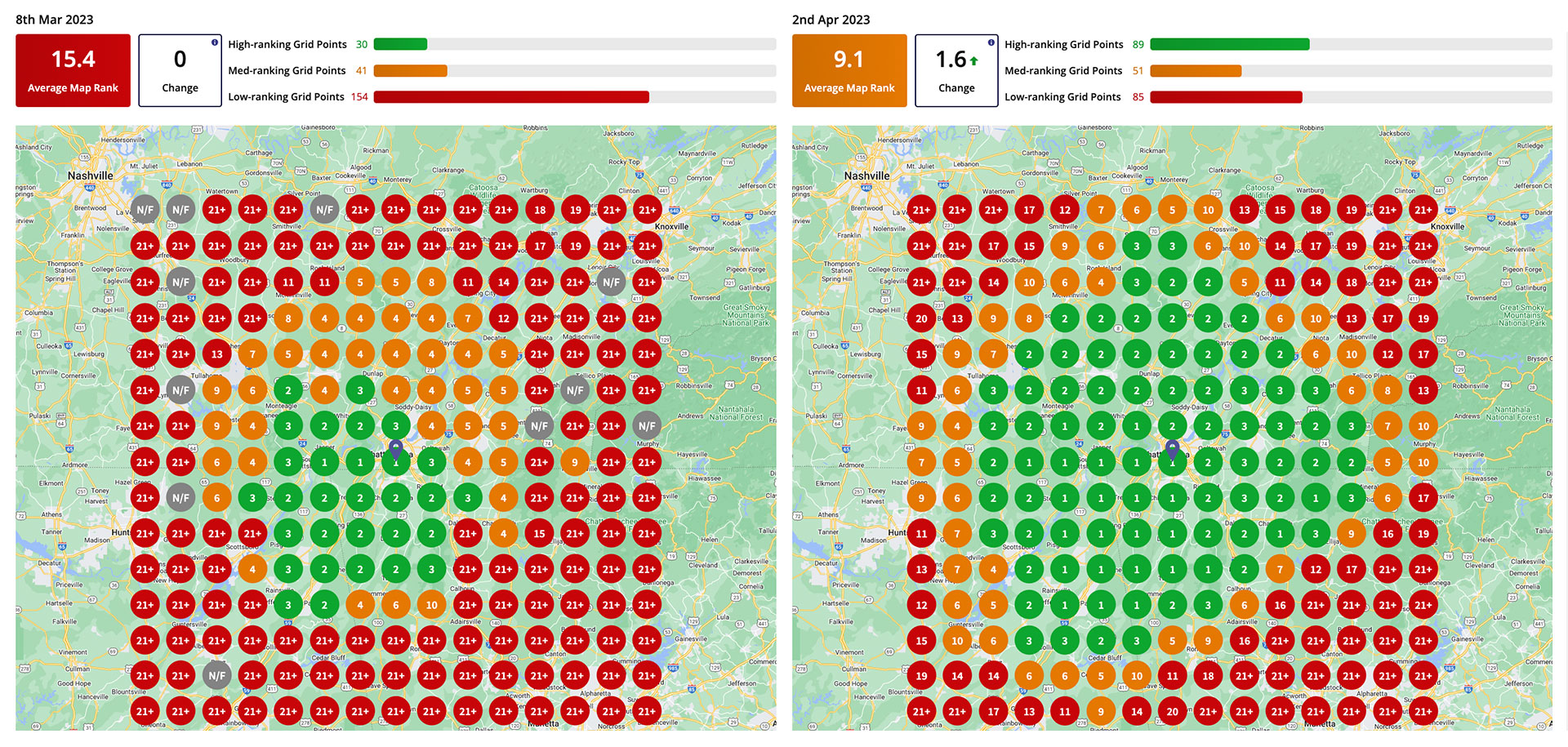
A local search heat map (often called a geo-grid) shows how your business ranks in Google’s local results for a keyword from many points across a map. The software lays a grid over your service area, say 5 by 5 or 9 by 9 points across a city, and checks your ranking for a search like “roofer near me” from each point.
Each point gets a color. Green means you are in the top three, the spots that show in the map pack and win most of the calls. Yellow and orange mean you are on the list but lower. Red means you are buried or missing. One glance tells you where you own the market and where your competitors do.
This matters because local rankings change block by block. Google weighs how close a searcher is to each business, so a single “you rank #2” report only describes one spot on the map. The heat map shows the whole territory.
It also shows your competition. Run the same grid for the businesses beating you and you can see where they are strong, where they are weak and which neighborhoods are open for the taking.
Using Local Search Heat Maps for SEO
A heat map does not fix anything by itself. Its value is in telling you where to spend your effort. Here are the ways we use it:
-
Identify Keywords that are Performing Well
Run grids for each service you sell. You will usually find one or two keywords where you are green across town and others where you are red a mile from your door.
The green keywords tell you what Google already trusts you for. The red ones tell you where to put new content, service pages and Google Business Profile updates first, instead of spreading effort evenly and hoping.
-
Improve Your Google Business Profile, Titles and Descriptions
Your Google Business Profile drives most of what happens in the map pack. Categories, services, photos, reviews and the page your profile links to all feed your local rankings, and a heat map shows whether changes to them are working.
On your website, the page titles and meta descriptions for each service and location page are what people see before they click. When the grid shows weak areas, tighten those pages so they name the service and the place plainly, then run the grid again and compare.
-
Identify User Intent
Comparing grids for related searches shows what people actually want. “Emergency plumber” and “plumbing company” can produce very different maps, with different competitors winning each.
If the businesses beating you for a search all lead with a certain service or answer a certain question, that is what searchers want. Build the content and the profile details that match it.
Choosing the Right Software
Several tools build these maps. Local Falcon and BrightLocal’s Local Search Grid are two of the better known, and most local SEO suites now include a geo-grid feature.
The software is the easy part. Reading the results well takes an understanding of local ranking factors: proximity, relevance and prominence, your Google Business Profile, reviews, citations and the pages on your site. Without that, a heat map is just a colorful picture.
That is where an experienced partner helps. The value is in choosing the right keywords and grid sizes, reading what the colors say about your profile and your competitors, and running the same grids month after month so you can see what actually moved.
You can run heat maps yourself. Most businesses get more from them when someone who works in local search every day sets them up and turns them into a plan.
Conclusion
Local search heat maps show where your business wins and loses in local search, point by point across your market. That tells you which keywords to work on, which profile and page changes to make, and which competitors stand between you and the calls.
Pick a tool, run grids for the services that make you the most money, and repeat them on a schedule so every change you make can be measured.
Used that way, heat maps stop being a report and start being a map to more leads and more revenue.
We have been doing local search for companies since 2012. To see where you rank across your market, book a 15-minute call, or see how we approach SEO and GEO.
Check out more marketing tips from Spectruss here.